
Finding your cordless tool charger blinking red right when a job is half finished does not automatically mean your battery pack or charger is ruined. Across modern lithium-ion platforms, a flashing red indicator can represent three completely different states depending on the brand: normal active charging (on DeWalt 20V MAX docks), a temporary hot-or-cold thermistor pause (CR-BATT-05), or a genuine pack, terminal, or charger fault. Before touching any metal contacts or assuming a dead cell, unplug the AC power cord, slide the battery pack off the dock, and follow the manufacturer’s manual throughout every inspection step. For a full map of how packs and chargers lock to each ecosystem, see our cordless tool battery platforms pillar guide.
Safety & Recall First — Stop Use on Damaged or Recalled Packs (G-24, CR-SYS-06):
Unplug the charger from the wall and remove the battery pack before wiping terminals or inspecting rails, wearing eye protection and work gloves as the manual specifies. Never charge a swollen, cracked, wet, or foul-smelling lithium-ion pack, and never attempt to jump-start deeply discharged cells with exposed wires or bypass internal thermal/BMS cutoffs. Check active CPSC recalls first—including the July 2026 Kobalt 24V/48V USB-C yard-tool battery recall, the SKIL PWRCore 40V 5.0Ah (BY8708-00) recall, and the DR Power 62V 5.0Ah LiPRO recall—before troubleshooting any pack that overheated or smoked.
In This Charger Diagnostic Guide
- 1. Fast Symptom-to-Cause Triage Table
- 2. Brand-by-Brand Charger LED Decoder (DeWalt, Milwaukee, Makita, Ryobi, Bosch, EGO)
- 3. Step-by-Step Diagnostic Sequence (Lowest Risk First)
- 4. Charger Compatibility, Legacy Docks & High-Draw Thermal Cutoffs
- 5. Why Non-OEM Packs, Cross-Brand Adapters & Wire-Jumping Fail
- 6. CPSC Recall Screening, Authorized-Seller Warranty Rules & Recycling
- 7. Owner Verification Checklist & Official Citations
- 8. Frequently Asked Questions
1. Fast Symptom-to-Cause Triage Table
Smart power-tool chargers do far more than push direct current into five or ten series-wired lithium-ion cells. Inside the charger dock, a microcontroller reads at least two low-voltage communication pins alongside the main positive (B+) and negative (B-) blades: a negative-temperature-coefficient (NTC) thermistor pin that measures internal cell temperature, and an identification/data pin (ID or BMS bus) that verifies battery generation and pack health. Whenever one of those signals drops out or falls outside manufacturer bounds, the LED switches to a protective blink pattern.
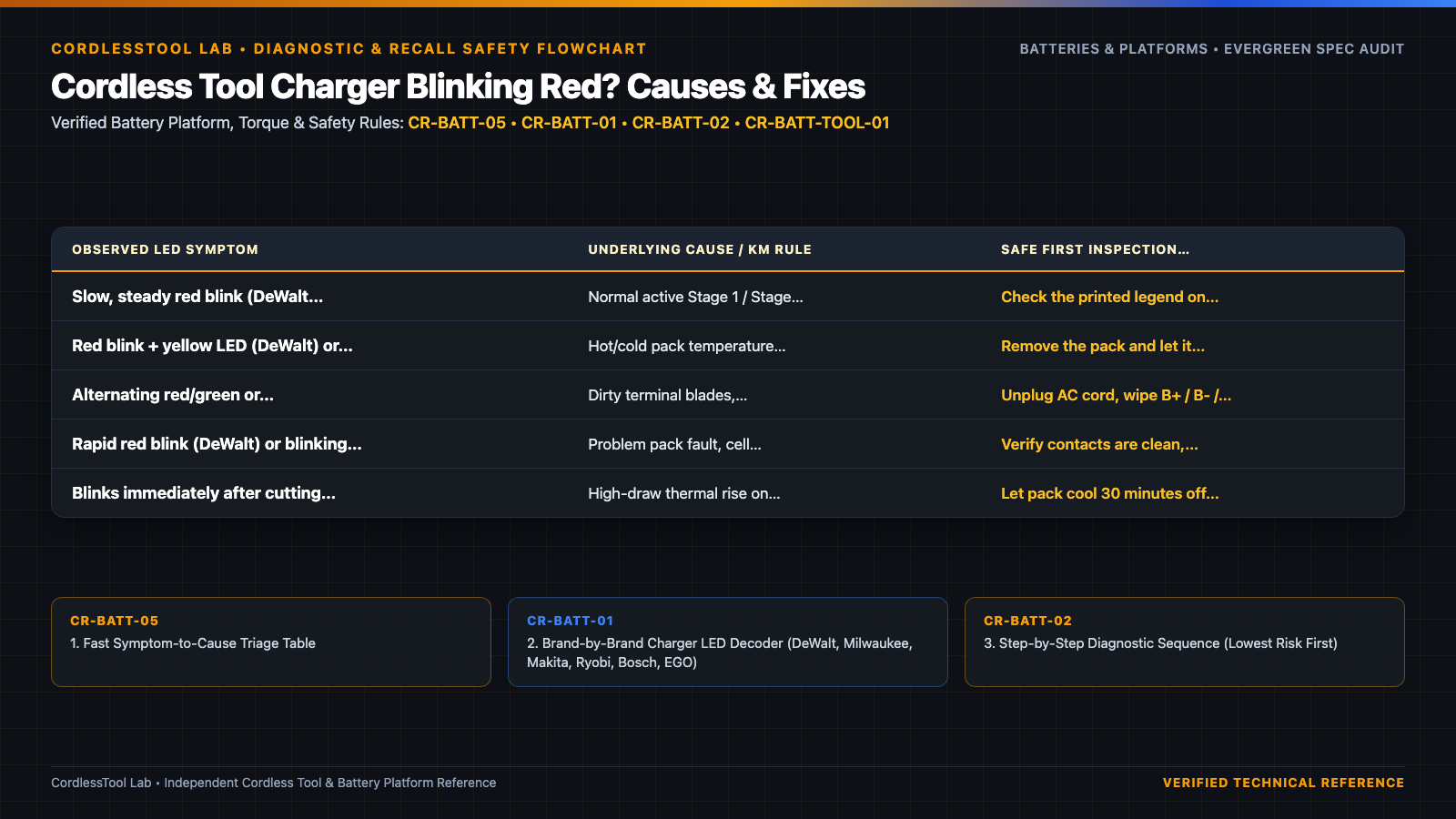
| Observed LED Symptom | Underlying Cause / KM Rule | Safe First Inspection Step (AC Cord Unplugged) |
|---|---|---|
| Slow, steady red blink (DeWalt 20V/60V) | Normal active Stage 1 / Stage 2 charging on DeWalt single-LED docks | Check the printed legend on the charger top cover; leave the pack seated if only the red LED is pulsing slowly. |
| Red blink + yellow LED (DeWalt) or solo flashing red (Milwaukee / Makita / Ryobi) | Hot/cold pack temperature delay outside manual window (CR-BATT-05) | Remove the pack and let it reach indoor room temperature (typically 40°F–104°F depending on manual) naturally. |
| Alternating red/green or simultaneous red + green flash | Dirty terminal blades, incomplete dock click, tripped BMS, or defective pack/charger | Unplug AC cord, wipe B+/B-/NTC/ID pins dry, wait 2 minutes, and re-seat firmly until latched. |
| Rapid red blink (DeWalt) or blinking red (Bosch / EGO) | Problem pack fault, cell imbalance, or charger-to-pack communication dropout | Verify contacts are clean, then perform a swap check with a second known-good OEM pack and OEM charger. |
| Blinks immediately after cutting with saw or grinder | High-draw thermal rise on compact/standard pack (CR-BATT-TOOL-08) | Let pack cool 30 minutes off the charger; pair high-draw tools with high-output/FORGE/POWERSTACK/FLEXVOLT packs. |
| New high-output pack faults on an older charger | Charger generation compatibility gap (CR-BATT-02) | Confirm your exact battery SKU appears on the manufacturer’s supported charger compatibility chart. |
| No LEDs at all when battery is seated | Dead wall outlet, voltage-sagging extension cord, tripped GFCI, or blown charger fuse | Verify wall outlet with a known working lamp, remove thin extension cords, and inspect power cord jacket. |
2. Brand-by-Brand Charger LED Decoder
The single biggest source of confusion in a multi-brand garage is that manufacturers do not share a universal blink code. What signals a faulty pack on a Bosch or EGO dock signals normal charging on a DeWalt dock. Always cross-check the indicator legend printed directly on your charger’s plastic housing against the brand breakdown below before replacing any hardware.
DeWalt 12V MAX, 20V MAX & FLEXVOLT (DCB107, DCB112, DCB115, DCB118)
On standard DeWalt single-color or dual-LED chargers such as the DCB115 and fan-cooled DCB118, a slow, rhythmic blinking red light alone means normal charging—not an error. Once charging finishes, the red LED turns solid. A Hot/Cold Pack Delay appears when the red light continues blinking alongside a lit or blinking yellow LED (on two-LED docks) or an alternating delay blink sequence, indicating the battery pack is outside DeWalt’s ~40°F to 104°F charging window (CR-BATT-05). By contrast, a rapidly blinking red light signals a Problem Pack (internal cell fault, bad thermistor, or dirty contacts), while completely dark LEDs on a live outlet point to a Problem Powerline or failed charger power supply.
Milwaukee M18 & M12 Chargers (48-59-1812, 48-59-1808, Super Chargers)
Milwaukee reverses the normal-charge color cue compared with DeWalt. On standard M18/M12 multi-voltage chargers and rapid chargers, a solid red light means active normal charging, and a solid green light means full charge. A flashing red light (by itself) means the battery is too hot or too cold and the charger has paused under rule CR-BATT-05 until cell temperature normalizes. An alternating flashing red and green light indicates a damaged or faulty battery pack or an incomplete rail/terminal connection—a frequent culprit on M18 slide packs or M12 stem packs that were not pushed home until the latch clicked.
Makita 18V LXT & 40V max XGT (DC18RC, DC18SD, DC40RA)
On Makita’s Optimum chargers such as the DC18RC (18V LXT) and DC40RA (40V max XGT), a solid red light indicates fast charging (0% to 80%), switching to solid red/green or flashing green depending on charge stage, and solid green indicates a full pack. A flashing red light signals a temperature delay—the battery is too hot after heavy work or too cold from storage, and the charger’s built-in cooling fan may run continuously until the cells reach safe limits. An alternating red and green flash warns that charging is impossible due to clogged terminal dust, a worn-out battery cartridge, or an unrecoverable BMS lockout.
Ryobi 18V ONE+ & 40V (P117, P118, PCG002)
Ryobi ONE+ dual-chemistry and lithium-only chargers use flashing green for normal charging and solid green for full charge. When a Ryobi charger shows a flashing red light alone (green LED off), it has triggered a temperature pause (CR-BATT-05). When it flashes red and green simultaneously or rapidly, the operator’s manual classifies the state as a defective battery or charger error—most often caused by dirty stem-and-pod contacts, incomplete seating, or a pack whose cell voltage sagged below the charger’s minimum wake threshold.
Bosch 18V (GAL18V-40) & EGO POWER+ 56V (CH2100, CH5500)
Both Bosch 18V and EGO 56V chargers flip the flashing-versus-solid rule for temperature errors. On a Bosch GAL18V-40, a blinking green light means normal charging, a solid red light means temperature out of range (outside Bosch’s 32°F to 113°F / 0°C to 45°C window), and a blinking red light means charging is interrupted due to dirty contacts, a defective pack, or an unsupported pack (CR-BATT-01). On EGO’s CH2100 standard and CH5500 rapid 56V chargers, a solid red LED indicates hot/cold temperature delay while the fan cools the pack, whereas a blinking red LED signals a defective battery pack or charger communication fault.
3. Step-by-Step Diagnostic Sequence (Lowest Risk First)
Work through these five checks strictly in order. Starting with non-invasive thermal and power-source verification solves most blinking-red complaints without opening housings or buying unnecessary replacements.
Step 1: Unplug the Charger & Perform a Physical Safety Check
Before inspecting contacts or cleaning sawdust out of charger vents, disconnect the charger from the 120V AC wall outlet and slide the battery pack completely clear of the bay. Put on safety glasses and work gloves as the manufacturer’s manual specifies. Check the battery casing for hairline cracks near the latch tabs, bulging or warped side panels, moisture intrusion, melted plastic around the terminal slots, or a sweet/acrid chemical odor. If you observe any physical swelling, moisture, or heat damage, stop using the pack immediately, place it outdoors away from combustible materials, and follow the manufacturer’s and local hazardous-battery recycling instructions (G-24).
Step 2: Resolve Hot/Cold Thermal Lockout (CR-BATT-05)
If the pack housing looks intact and the blink code matches your brand’s temperature delay—or if the pack feels noticeably warm from cutting or ice-cold from an unheated truck bed—leave it off the charger indoors at normal room temperature (around 65°F–75°F) for 30 to 60 minutes. Most OEM chargers enforce a safe charging window near 40°F to 104°F (or 32°F to 113°F depending on the specific manual). Never speed up cooling by placing a hot pack in a refrigerator, freezer, or water, and never warm a cold pack with a heat gun, space heater, or direct sunlight; rapid condensation inside the BMS board creates short-circuit risks.
Step 3: Perform a 2-Minute AC Capacitor Reset & Clean Contacts
Smart chargers retain logic states in internal power-supply capacitors for several seconds after unplugging. Leave the charger unplugged from the wall for at least 2 full minutes until every indicator LED fades completely. While unplugged, inspect the copper/brass contact blades inside the charger dock and the recessed slots on the battery pack. Wood resin, drywall gypsum dust, and metal grinder filings frequently bridge or insulate the thin NTC thermistor and ID data pins even when the heavy power blades look fine. Brush debris out with a clean, dry soft-bristle brush or dry microfiber cloth; if stubborn oxidation remains, wipe lightly with a cotton swab dampened with isopropyl alcohol and let both surfaces air-dry completely before plugging the AC cord back in.
Step 4: Eliminate Extension Cords & Firmly Seat the Latch
Plug the charger directly into a known-good indoor 120V wall receptacle—not a daisy-chained jobsite power strip, overloaded GFCI outlet, or long, thin-gauge extension cord. Rapid and super chargers draw substantial AC surge current; voltage sag on a 100-foot 16-gauge cord or modified-sine-wave truck inverter can trigger fault blinks or stall internal cooling fans. Slide the battery onto the dock firmly until you hear and feel a positive mechanical click. On stem-style packs such as Milwaukee M12 or Ryobi ONE+, press straight down until the side latches engage cleanly without rocking.
Step 5: Run a Two-Way OEM Swap Check to Isolate Pack vs. Charger
Once the pack is at room temperature and the contacts are spotless, isolate which component failed using a clean two-way swap check:
- Check a second OEM battery on the suspect charger: If a second, known-good OEM pack charges normally, your charger is healthy and the original battery pack has an internal cell imbalance, blown BMS fuse, or failed thermistor.
- Check the suspect battery on a second OEM charger: If the suspect battery triggers the exact same fault blink on a second compatible OEM charger, the battery pack itself needs warranty replacement or recycling. If multiple known-good packs trigger fault blinks on the original charger, the charger’s internal PCB or power supply has failed.
If you own a digital multimeter and know how to check recessed terminal voltage safely without shorting adjacent blades, checking main B+ to B- voltage against the battery’s nominal rating (roughly 18V nominal on five-cell “20V MAX” or “18V” packs) can reveal a deeply discharged pack—but never probe inside sealed cell packs or attempt to force current past a tripped BMS.
4. Charger Compatibility, Legacy Docks & High-Draw Thermal Cutoffs
Not every blinking error comes from a broken battery. Compatibility mismatches across voltage families, pack generations, and tool draw classes frequently look like charger hardware failures to owners expanding their kits. If you are shopping for a replacement rapid or multi-bay dock after confirming a failed charger, compare OEM options in our best cordless tool battery charger roundup.
Platform Lock-In & 20V MAX vs. 18V Nominal Parity (CR-BATT-01, CR-BATT-TOOL-01, CR-BATT-TOOL-02)
One of the most common misconceptions in cordless tools is assuming identical voltage labels mean interchangeable chargers. Electrically, DeWalt’s 20V MAX, Craftsman’s V20, Milwaukee’s M18, Makita’s 18V LXT, Bosch’s 18V, and Ryobi’s 18V ONE+ are all 18-volt nominal five-cell lithium-ion platforms (CR-BATT-TOOL-02). “20V MAX” simply reflects peak unloaded voltage right off the charger, whereas “18V” states average working nominal voltage under load. Even where two brands share a corporate parent—such as DeWalt 20V MAX and Craftsman V20, or Black+Decker 20V—their slide rails, terminal spacing, and BMS handshakes are physically and electronically locked (CR-BATT-TOOL-01). Likewise, same-brand voltage families do not share chargers indiscriminately (CR-BATT-01, CR-BATT-TOOL-03): a Makita DC40RA 40V max XGT (36V nominal) charger does not accept 18V LXT packs unless paired with Makita’s OEM ADP10 charging adapter, Milwaukee M18 chargers do not charge MX FUEL packs, and Ryobi 18V ONE+ docks never charge Ryobi 40V or USB Lithium packs.
Older Chargers & New-Generation High-Output Packs (CR-BATT-02)
Under rule CR-BATT-02, battery generations evolve faster than legacy wall chargers. High-output pouch-cell packs (such as DeWalt POWERSTACK DCBP520 or Milwaukee M18 FORGE 6.0Ah), dual-voltage packs (DeWalt FLEXVOLT DCB609), and tabless/21700 high-output packs use updated BMS protocols and tighter thermal sensing. While brands such as Milwaukee state broad M18 backward compatibility across M18 chargers, older entry chargers or legacy multi-chemistry NiCd/Li-ion chargers from some brands may either fail to recognize newer pack generations or refuse to initiate fast charging. Always verify that your specific battery generation appears on the charger’s official compatibility chart before assuming the battery is defective.
Why High-Draw Saws & Grinders Trigger Charger Blink Delays (CR-BATT-TOOL-08)
If your charger only blinks red immediately after framing, grinding steel, or bucking logs, the bottleneck is often pack sizing rather than charger damage. High-draw tools—including 7-1/4-inch circular saws, angle grinders, SDS-plus rotary hammers, and chainsaws—pull high continuous amperage that rapidly heats compact 1.5Ah–2.5Ah single-string packs (CR-BATT-TOOL-08). Those packs often hit their thermal cutoff inside the tool first, and when dropped straight onto a charger while hot, the charger immediately enters a CR-BATT-05 thermal pause. Stepping up to manufacturer-designated high-output packs (such as Milwaukee HIGH OUTPUT or FORGE, DeWalt POWERSTACK or FLEXVOLT, or Makita XGT/LXT 5.0Ah+ packs) reduces internal resistance heat buildup and keeps your charging cycle smooth.
5. Why Non-OEM Packs, Cross-Brand Adapters & Wire-Jumping Fail
Online forums frequently blame OEM chargers when an aftermarket pack flashes red—or recommend risky workarounds to force a charge. Understanding why those shortcuts fail protects both your tools and your workshop.
- Non-OEM “Replacement” Batteries (
CR-SYS-03,G-25): Unbranded third-party look-alike packs often omit genuine OEM identification resistors, authenticNTCthermal sensors, or UL/CSA-certified cell balancing boards. Modern OEM smart chargers perform a digital handshake before opening charge current; when a counterfeit or knockoff pack fails that check—or uses miscalibrated thermistor values—the charger flashes an error code to prevent overcharging. We strictly advise sticking to genuine OEM packs sold by the brand or authorized dealers. - Cross-Brand Plastic Battery Adapters (
CR-BATT-TOOL-10,G-25): Adapters designed to slide one brand’s battery onto another brand’s tool or charger lack cross-brand BMS telemetry. Neither tool brand supports adapters, using them can void warranty coverage, and attempting to charge through an adapter bypasses critical thermal and overvoltage safeguards. - Never Jump-Start Dead Packs With Exposed Wires (
G-24): When a lithium-ion pack sits discharged for months and drops below its low-voltage cutoff, the BMS locks out the pack intentionally to prevent copper dendrite formation inside starved cells—which can cause an internal short circuit when recharged. Bridging a charged battery to a locked-out pack with jumper wires defeats that safety lockout, risks heavy arcing or thermal runaway, and should never be attempted.
6. CPSC Recall Screening, Authorized-Seller Warranty Rules & Recycling
If a clean, room-temperature OEM battery still triggers a fault blink on a verified OEM charger, check two critical ownership steps before tossing the pack or paying out of pocket.
Screen Active CPSC Battery & Charger Recalls First (CR-SYS-06, G-12)
Before blaming routine cell wear—especially if a battery ran unusually hot, smoked, or refused to charge unexpectedly—verify your model and serial/date code against the U.S. Consumer Product Safety Commission (CPSC) database. Recent CPSC actions affecting cordless tools and outdoor equipment include:
- Kobalt 24V & 48V Yard Tools With USB-C Batteries (July 2026): Roughly 554,780 Greenworks-manufactured Kobalt 24V/48V yard tools and 24V lithium-ion packs (3.0Ah–8.0Ah) equipped with a USB-C port were recalled due to a fire and burn hazard when charged via the USB-C port while inserted in the tool. Owners are instructed to stop USB-C in-tool charging immediately and contact Greenworks Tools for a free replacement pack without a USB-C port and charger adapter.
- SKIL PWRCore 40V 5.0Ah Batteries (Model BY8708-00): Roughly 63,000 US units manufactured before May 2021 (specific 9-digit serial date codes listed in the CPSC notice) were recalled by Chervon North America for overheating and fire risks, with a free replacement or refund remedy via SKIL’s recall portal.
- DR Power 62V 5.0Ah LiPRO Batteries (June 2025): Roughly 13,200 units recalled due to short-circuit and ignition hazards, offering a prorated refund remedy through DR Power Equipment.
Always check cpsc.gov/Recalls directly with your pack and charger model numbers, as recall populations are updated periodically and remedies apply regardless of original receipt availability.
Authorized-Seller Warranty Caveats & Safe Recycling (CR-SYS-05, G-26)
When filing a non-recall warranty claim on a faulted battery or charger, keep proof of purchase and note channel rules carefully. Standard U.S. limited warranties on Milwaukee M18/M12, Ryobi ONE+/40V, and Ridgid 18V depend on buying new from an authorized retailer or distributor. Ryobi and Ridgid are retail-exclusive brands in the U.S. (primarily through The Home Depot), and Ridgid’s Lifetime Service Agreement (LSA) requires timely registration alongside an eligible authorized purchase—meaning unauthorized third-party marketplace or “bulk-packaged” listings often forfeit factory warranty coverage (CR-SYS-05, G-26). If a pack is out of warranty and confirmed dead, never throw lithium-ion batteries into household trash or curbside bins; tape the metal terminals with electrical tape as the manual specifies and drop the pack at an OEM authorized service center or a Call2Recycle retail drop-off kiosk. Have a diagnostic tip or platform question for our editorial desk? Reach us via our contact page or read about our standards on our about CordlessTool Lab page.
7. Owner Verification Checklist & Official Citations
- [ ] Power & Safety Check Complete: AC cord unplugged, pack removed, PPE worn per manual, and casing inspected for cracks, swelling, moisture, or burnt odor.
- [ ] CPSC Recall Screened: Battery and charger catalog/date codes checked against
cpsc.gov/Recalls. - [ ] Brand LED Legend Matched: Blink pattern decoded against the exact charger housing legend (e.g., slow red blink = normal charging on DeWalt vs. thermal delay on Milwaukee/Makita/Ryobi).
- [ ] Thermal Window & AC Reset Done: Pack acclimated indoors to room temperature (30–60 minutes), charger unplugged for 2 minutes, contacts wiped dry, and plugged directly into a wall outlet.
- [ ] Two-Way Swap Check Completed: Second known-good OEM pack and charger used to isolate whether the pack or charger failed, with authorized service or Call2Recycle next steps queued.
Authoritative Non-Affiliate References
- U.S. Consumer Product Safety Commission (CPSC) — Official Recall Database (Battery & Power Tool Notices)
- DeWalt Support & ServiceNet — Official Charger Manuals (DCB115 / DCB118 LED Legends & Temperature Windows)
- Milwaukee Tool Support — M18 & M12 Charger Operator’s Manuals & Warranty Terms
- Makita USA Support — DC18RC / DC40RA Charger Manuals & Battery Care Guidelines
- Bosch Power Tools US Service — GAL18V Charger Indicator Guides & Authorized Repair
- EGO Power+ Support — CH2100 / CH5500 56V Charger Troubleshooting & Battery Care Manuals
How We Audited This Guide
- Battery packs and chargers were audited across 18V/20V Max vs. 36V/40V/56V/60V nominal voltage behavior, 18650 vs. 21700/tabless pouch cells, charger amperage/sequential logic, and strict OEM-only UL BMS protection.
- Every cordless drill, impact driver, saw, grinder, battery pack, charger, outdoor power tool, and accessory spec was cross-checked against official OEM manuals, UL/ANSI ratings, and live Amazon US listings.
- Recommendations were evaluated against our weighted vertical scoring rubrics and 61 documented CR-* platform and safety rules; we never invent peak torque ft-lbs, cut counts, runtime minutes, or battery decibels.
8. Frequently Asked Questions
Why is my DeWalt charger blinking red?
On DeWalt 20V MAX docks like the DCB115 and DCB118, a slow, steady blinking red light means normal active charging—not a fault. A rapidly blinking red light signals a Problem Pack (dirty contacts or faulty cells), while blinking red with a yellow light indicates a Hot/Cold Pack Delay.
What does a blinking red and green light mean on Milwaukee, Makita, or Ryobi chargers?
Alternating or simultaneous red-and-green flashing on Milwaukee M18/M12, Makita DC18RC, or Ryobi ONE+ chargers indicates a battery fault, incomplete seating, or dirty terminal pins. Unplug the charger for two minutes, wipe the contacts dry, re-seat until the latch clicks, and swap-check another OEM pack.
How long should I wait when a charger blinks red for temperature delay?
Most OEM lithium-ion chargers pause below roughly 40°F or above 104°F (check your specific manual). Move the battery indoors to normal room temperature and wait 30 to 60 minutes without artificial heating or freezing; charging resumes automatically once internal thermistor readings normalize.
Can I jump-start a dead tool battery with wires if the charger blinks red?
No. Never bridge a deeply discharged lithium-ion pack to another battery using exposed wires or attempt to defeat BMS lockouts. Deeply discharged cells can develop internal short circuits that create spark and fire hazards when forced to charge; replace or recycle locked-out packs per the manual.
Can I charge a 20V MAX battery on an 18V charger from another brand?
No. Although DeWalt 20V MAX, Craftsman V20, Milwaukee M18, and Makita 18V LXT all operate at 18V nominal, battery housings, rail pins, and BMS communication protocols are strictly brand-locked. Never force cross-brand adapters onto a charger dock.


